 SoffioDictation for Mac
Speak, and it's typed in a breath.
Press a key, talk, and your words land at the cursor in any app: about 125 ms after you let go on your Mac (median), 100 to 300 ms with the cloud. Private by default, for one price and no subscription.
14-day trial at full speed, no cardmacOS 15 or later on Apple siliconLaunch price: 50% off for 60 days
- 125 msmedian on your Mac, key release to text
- Offlinelocal engine, no word limit
- No accountand no analytics
- $14.50 onceno subscription
How it works
Press, speak, done.
Soffio sits in your menu bar and works wherever you can type: Mail, Slack, your code editor, a form in the browser.
-
Press Fn
Or a shortcut of your own. Press once to start, or hold the key while you talk if you prefer.
-
Speak naturally
A small pill at the bottom of the screen shows that Soffio is listening. Pause, think, carry on. Esc cancels.
-
Press again
The text lands at your cursor with punctuation, and with the names you taught it spelled right.
Speed
Fast enough to forget it is there.
Soffio transcribes while you speak, a few seconds at a time. When you let go of the key, almost all the work is already done.
Key release to text, on your Mac
125ms
The median over 430 dictations of 3 to 60 seconds, in a two-hour run on a MacBook Pro with an M1 Pro, with the local engine.
- 4 msfrom pressing the key to the pill on screen (median)
- 190 msor less for 95% of those dictations, while the Mac was busy with other work
- 50 MBof memory while it runs, the same after hours of use
- 0 crashesin 537 dictation sessions over two and a quarter hours
The cloud, only if you want it
Add your own Groq key and the cloud races your Mac: with the cloud, text lands in 100 to 300 ms. The first good answer wins. Offline, on a slow link or behind a VPN that blocks Groq, your Mac answers alone and nothing breaks.
Honest numbers
Measured on our own test Mac with recorded speech clips, while other apps were running. Older Macs, and long dictations spoken without a pause, take longer.
Command mode
Select text. Say what to change.
Press the command key, right Option by default, and speak an instruction: “make this shorter”, “translate to Italian”, “turn this into a list”.
Replaced in place. In a field you can edit, the selection is replaced at once. ⌘Z undoes it.
Or answered in a panel. With nothing selected, or text you cannot edit, the answer opens in a panel. Enter pastes it, ⌘C copies it.
Your choice of model. Groq with your own key, or Ollama on your Mac. Web tools and YouTube captions stay off until you switch them on.
The app
Quiet until you need it.
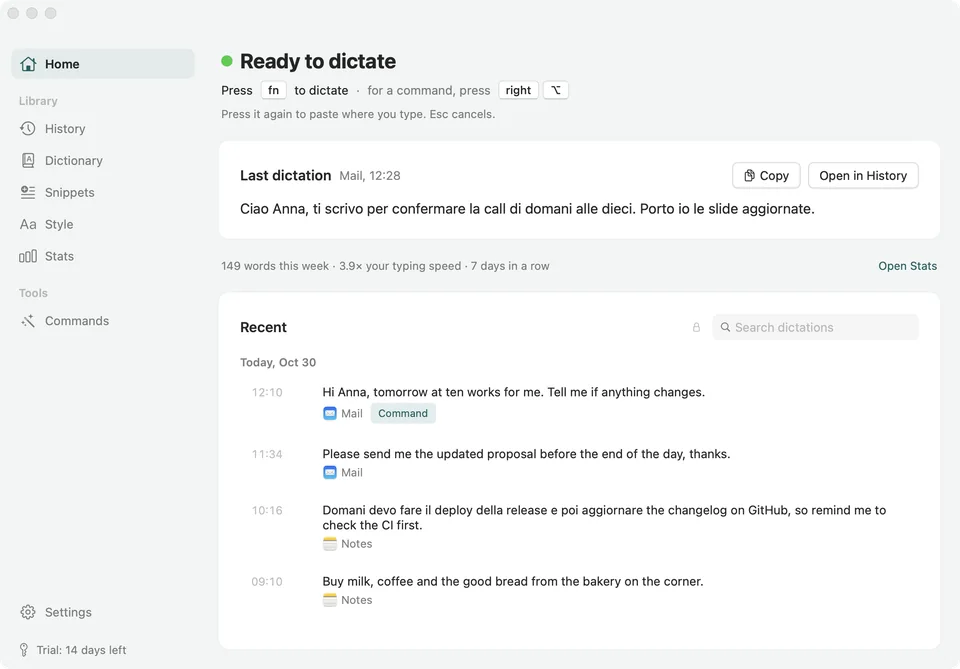
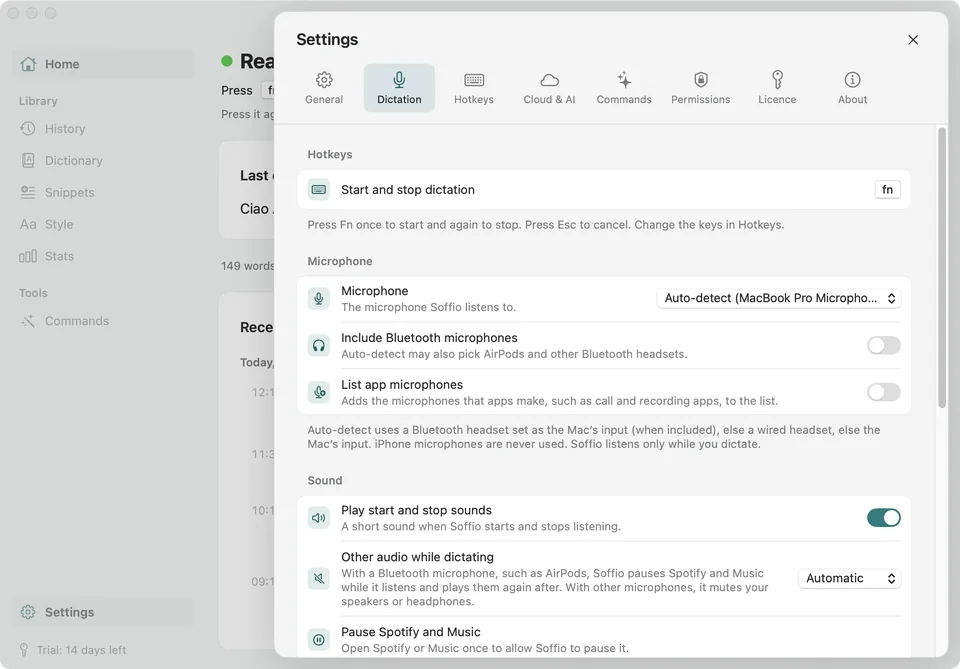
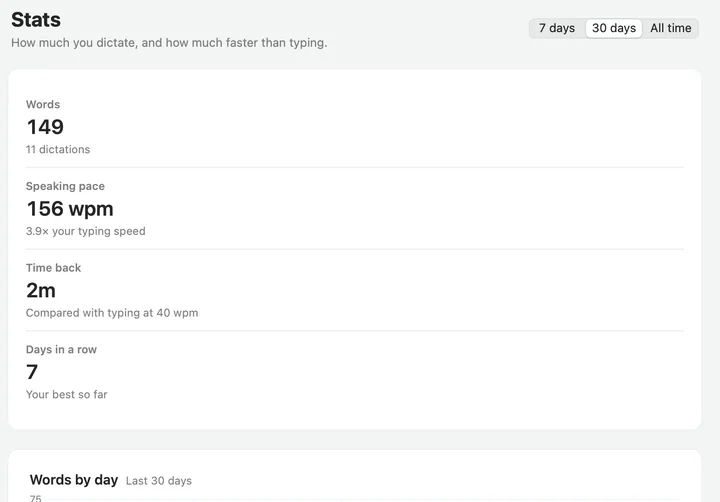
Open the window to see your last dictation, search everything you said, and tune how Soffio writes. It looks and feels like the Mac it runs on, in light and dark.
Languages
Speak the languages you write in.
At launch Soffio works in six languages, in the app and in dictation. Its speech model, NVIDIA Parakeet, runs on your Mac and also understands 19 more European languages.
Dictation
Speak English, Italian, Spanish, French, German or Portuguese. Parakeet also transcribes the 19 languages below.
The app
Menus, settings and setup follow your Mac's language, in six languages at launch.
Mixing two languages in one sentence is not something we promise yet.
- English
- Italiano
- Español
- Français
- Deutsch
- Português
- Български
- Hrvatski
- Čeština
- Dansk
- Nederlands
- Eesti
- Suomi
- Ελληνικά
- Magyar
- Latviešu
- Lietuvių
- Malti
- Polski
- Română
- Русский
- Slovenčina
- Slovenščina
- Svenska
- Українська
Privacy
Your voice stays on your Mac.
Local transcription is the default. There is no account to create and no analytics to switch off. The cloud is optional, uses your own key, and stays off until you turn it on.
On your Mac By default
- Your voice
- What you dictate
- History and recordings
- Dictionary and snippets
- Stats
- Your Groq key, in the Keychain
Only if you chooseWith your own Groq key switched on, recordings and your dictionary words go to Groq. Command mode can use Groq, or Ollama on your Mac.
Everything that can leave your Mac, and when
Privacy policy| What | Does it leave your Mac? |
|---|---|
| Your voice | No, unless you add your own Groq key and turn Groq on. Then the recording and your dictionary words go to Groq (api.groq.com). |
| Dictated text | Only if you turn on AI formatting or Command mode with Groq. With Ollama, it stays on your Mac. |
| Your Groq key | It is kept in the macOS Keychain and sent only to Groq. |
| History, dictionary, snippets, stats | No. They are stored on your Mac. Agents cannot read History unless you switch that on. |
| Your licence | Your licence key, a random ID for this Mac and its model name (like “Mac (Mac14,2)”, never your Mac's name) go to Polar to activate the licence and check it now and then. This never happens while you dictate, and the trial works offline. |
| Update checks | Soffio asks for a small appcast file to learn whether a new version exists. It sends no personal data. |
| Speech model | Downloaded once, the first time you open Soffio, from Hugging Face. They see your IP address and nothing about you. |
| Crash reports | Only if you click Send by Email after a crash. You can read the report first. It opens an email that you send yourself. |
| Analytics | None. |
Everything else
Small things that add up.
History
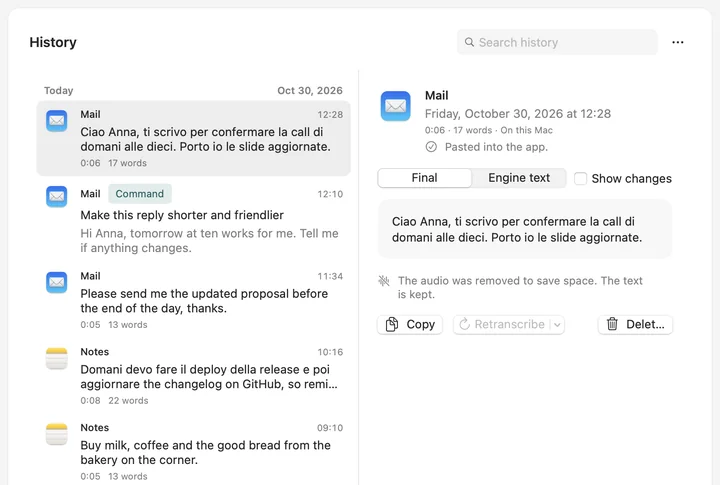
Every dictation is saved on your Mac with the app it went to. Search it, copy it again, or transcribe a recording once more. Recordings are kept 14 days by default; the text stays until you delete it.
Dictionary
Teach Soffio names, products and jargon, with what it tends to hear instead. They are fixed every time.
Snippets
Say a short trigger phrase and get a saved block of text: your address, a sign-off, a link you share every day.
Style for each app
Standard, casual or all lowercase. Casual in Messages and standard in Mail, set once for an app or a website.
For developers
Your agents can use it too.
A soffio command and an MCP server let Claude Code, Codex and your own scripts use your dictionary, snippets and stats, and transcribe audio files offline.
- Off by default. History stays private, and nothing can start the microphone, unless you switch it on.
- Local only. The command talks to the app over a private socket that only your user can open. Nothing goes over the network.
Pricing
Pay once. Keep it.
Try everything free for 14 days. If Soffio earns its place, one payment unlocks it for good.
Free updates for version 1
Every 1.x update at no cost. A version 2, if it ever comes, is a discounted upgrade.
Up to 3 Macs
One licence for the Macs you own. Move it to a new Mac whenever you like.
14-day refund
Changed your mind? Write to us and get your money back, no questions asked.
Soffio licence
50% off for the first 60 days. Then $29, still once.
- 14-day free trial with every feature at full speed, no card
- One payment, no subscription
- All updates to version 1 are free
- Use it on up to 3 of your own Macs
- Groq with your own key costs nothing extra, no markup
- Works offline after the first model download
- 14-day refund, no questions asked
Prices in US dollars before tax. Polar handles payment and adds local taxes at checkout.
How does the trial work?
You get 14 days with every feature at full speed. No card and no account. The days start with your first dictation and are counted on your Mac. Nothing is sent to anyone during the trial.
What happens when the trial ends?
Dictation and Command mode stop until you enter a licence. Your history and settings stay: History, Dictionary, Snippets and Settings stay open and you can export them. Nothing is deleted.
Does it work offline?
Yes. Soffio downloads its speech model once (about 613 MB) and after that transcribes without internet. Cloud transcription and Command mode with Groq need a connection. Your licence is checked online about once a week, in the background. If you are offline, Soffio keeps working: a failed check never locks you out.
What is sent where?
Your voice and your text stay on your Mac. They go to Groq only if you save your own Groq key and choose to use it: saving a key alone sends nothing. Apart from that, Soffio goes online to download the speech model once, to check your licence with Polar, and to look for updates. No account, no analytics. A crash report is sent only if you click Send by Email. The table above and the privacy policy have the details.
How long does it keep my recordings?
On a new install, 14 days; then the audio is removed and the text stays in History until you delete it. You can choose 7, 30 or 90 days, the last 100 recordings, or forever in Settings > General. Everything stays on your Mac.
Do I need a Groq key?
No. Local dictation is complete without it, and cloud features stay off until you save a key and turn them on. A free Groq key adds cloud transcription and Command mode with Groq. See how to get one.
Which languages does it understand?
At launch, six: English, Italian, Spanish, French, German and Portuguese, both for dictation and for the app itself, which follows your Mac's language. The speech model also understands 19 more European languages, such as Dutch, Polish and Swedish. Mixing two languages in one sentence is not something we promise yet.
Which Macs does it run on?
Macs with Apple silicon (M1 or newer) on macOS 15 or later. Intel Macs are not supported.
Why is it not in the Mac App Store?
Soffio listens for the Fn key and pastes into other apps. That needs permissions the App Store sandbox does not allow. You download it here instead, and the app is signed and notarized by Apple.
Why does it ask for Accessibility and Input Monitoring?
To see your dictation key and to paste text into the app you are using. Soffio does not read what you type. The help page explains each permission.
Can I use it on more than one Mac?
Yes, on up to 3 Macs that you own, with one licence. To free a slot, choose Deactivate This Mac in Settings > Licence, or use the Polar customer portal.
How do I move my licence to a new Mac?
On the old Mac, open Settings > Licence and choose Deactivate This Mac. On the new Mac, enter the same key. If the old Mac is gone, remove it in the Polar customer portal, or write to support. See Help.
Can I get a refund?
Yes. Within 14 days of buying, write to support@getsoffio.app and you get your money back, with no questions asked. The refund policy has the details.
What about version 2?
Every update to version 1 is free. If a version 2 ever comes, it will be a paid upgrade at a discount for existing owners, announced in advance.
Is there a student discount?
Yes, 50% off. Write to support@getsoffio.app from your school address.
Who makes Soffio?
Roberto Cinetto, a sole developer in Canada. You get a real person when you write to support.
Try Soffio free for 14 days.
Every feature, full speed, no card. Open the disk image, drag Soffio to Applications, and follow the short setup.
- macOS 15 or later
- Apple silicon (M1 or newer)
- About 32 MB, plus a 613 MB speech model on first run
SHA-256 of the disk image: TODO-sha256-of-the-dmg